
API Reference
REST API authentication, base URL, pagination, and the full OpenAPI reference for the Stealed leak search and verification endpoints.
The Stealed public API exposes read-only leak search and verification endpoints. Management operations (monitors, channels, domains, keywords, team members) stay scoped to the dashboard with an authenticated user session.
Base URL
https://api.stealed.ioAll endpoints are HTTPS only. HTTP is rejected.
Authentication
Every request carries an API key in the X-Api-Key header.
curl -H "X-Api-Key: $STEALED_API_KEY" \
  https://api.stealed.io/leaks/me
Creating an API key
API keys are organization-scoped. To create one:
- Open the dashboard at app.stealed.io.
- Go to Settings → API Integration.
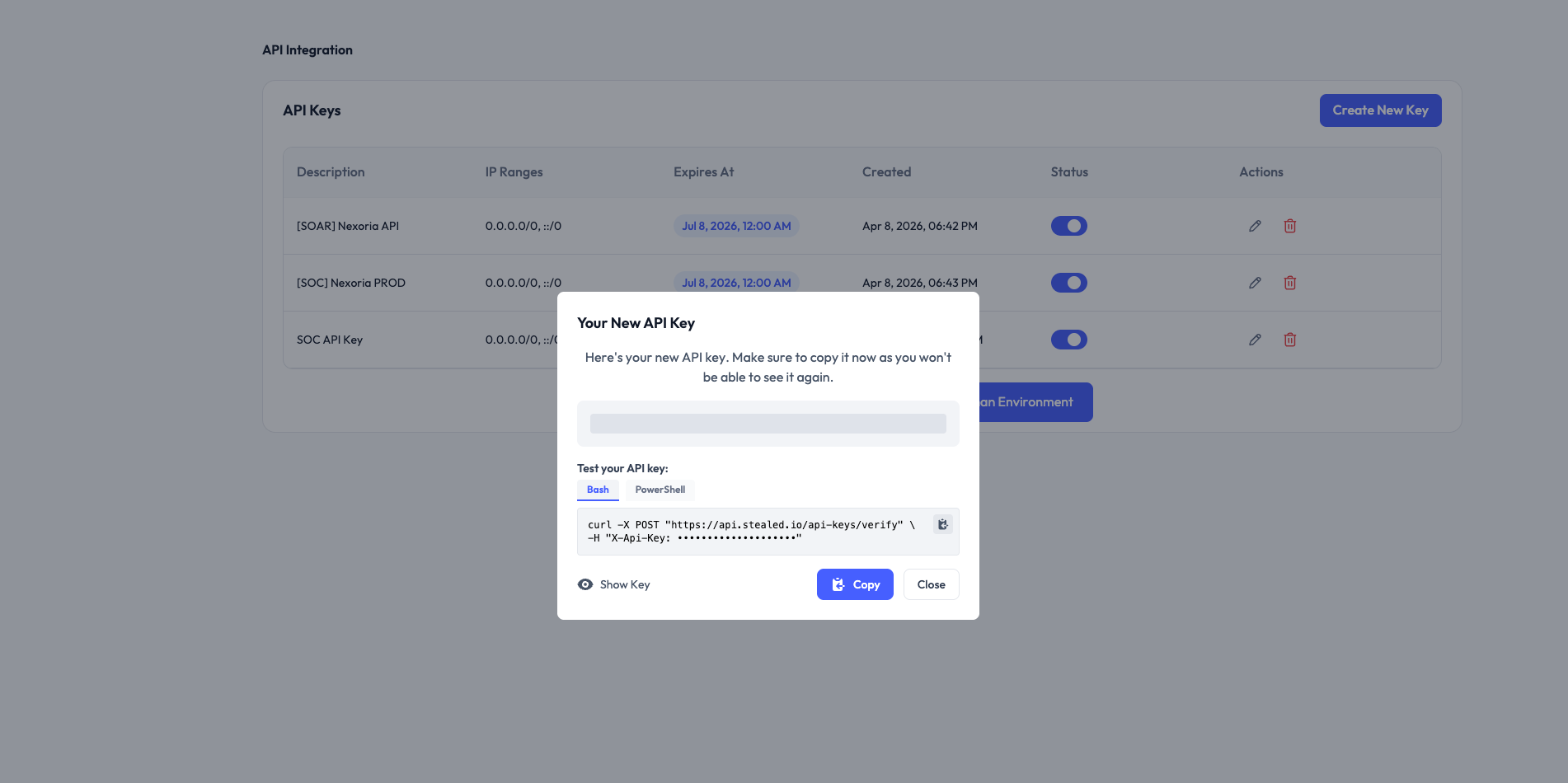
- Click New API key, give it a descriptive name (e.g. "splunk ingestion") and click Create.
- Copy the key immediately. The full secret is shown only once. After that you can see the prefix in the dashboard but not the full value.
Permissions
A key grants access to:
GET /leaks/*: leak search, statistics, keyword search.POST /api-keys/verify: validate a key and read the organization metadata.
Management endpoints (monitors, channels, domains, keywords, team, API keys CRUD) are NOT in the public API surface. They require a user session in the dashboard.
Rotating a key
To rotate, create a new key, deploy it to your integration, then delete the old one from the dashboard. Keys take effect immediately on creation and are invalidated immediately on deletion.
Revoking a leaked key
Suspect a key has been leaked? Delete it from Settings → API Integration. The deletion is effective immediately for new requests. Already-in-flight requests with that key complete normally.
Pagination
The /leaks/details endpoint returns paginated results:
{
  "data": [...],
  "total": 12345,
  "page": 1,
  "page_size": 50,
  "total_pages": 247
}- Default
page_size: 50 - Maximum
page_size: 200 - Pagination is offset-based, not cursor-based; for very large exports,
bound your queries with
start_dateandend_daterather than paging through millions of rows.
Time window
The /leaks/* endpoints default to the last 14 days when neither
start_date nor end_date is provided. Format: YYYY-MM-DD. Both
parameters can be specified independently.
Rate limits
Per API key:
- 60 requests / minute (burst tolerated up to 100)
- 5,000 requests / hour
- 100,000 requests / day
When you hit a limit, the API returns 429 Too Many Requests with a
Retry-After header (in seconds). Back off and retry.
Errors
Errors follow RFC 9457 Problem Details:
{
  "type": "https://api.stealed.io/errors/invalid-domain",
  "title": "Invalid domain",
  "status": 400,
  "detail": "The domain 'acme' is not in your watchlist.",
  "instance": "/leaks/details"
}
Common HTTP statuses:
| Status | Meaning |
|---|---|
| 200 | Success |
| 400 | Validation error (see detail) |
| 401 | Missing or invalid API key |
| 403 | Key valid but doesn't authorize this operation |
| 404 | Resource not found |
| 429 | Rate limit exceeded |
| 500 | Internal error: retry with exponential backoff |
Endpoint reference
The full OpenAPI reference (with schemas, parameters and try-it-now) is generated below from the live spec. Each operation has its own page.
The OpenAPI spec is also available at api.stealed.io/openapi.json for codegen and SDK generation.
Mute a monitor
Silence a monitor for a defined window without losing its state. Useful for maintenance windows or active triage.
Retrieve all leak statistics in a single request GET
Retrieve all leak statistics for the current organization in a single request. This endpoint fetches all leak data once and calculates multiple statistics server-side, reducing the number of queries needed. If `start_date` and `end_date` are not provided, defaults to **the last 14 days**. Includes trend data comparing the current period to the previous period of the same length (e.g. if querying 30 days, trends compare to the 30 days before that). **Returns a dictionary with the following statistics:** - `total_leaks`: Total number of leaks - `unique_usernames`: Number of unique usernames - `unique_domains`: Number of unique domains - `unique_passwords`: Number of unique passwords - `unique_leaks`: Number of unique leak hashes - `leaks_by_type`: Number of leaks grouped by type (combo/stealer) - `leaks_by_day`: Number of leaks grouped by day and identifier (limited globally to 10 top identifiers + other) - `leaks_by_domain`: Number of leaks grouped by domain (limited globally to 10 top domains + other) - `leaks_by_domain_all`: Number of leaks grouped by domain (all domains, no limit) - `leaks_by_inverse_identifier`: Number of leaks grouped by the inverse identifier (email_domain if root_domain, or vice-versa) (limited globally to 10 top + other) - `top_domains`: Top domains with most leaks (limited globally to 10) - `top_users`: Top users with most leaks (all users, no limit) - `password_strength`: Average password length - `password_reuse`: Number of reused passwords - `password_length_distribution`: Distribution of passwords by length - `external_accounts`: Detailed list of external accounts (username, masked password, type, domain, upload_stealed; capped at 50, most recent first) - `external_accounts_count`: Total count of external accounts - `admin_accounts`: Detailed list of admin/privileged accounts (same shape as `external_accounts`; capped at 50, most recent first) - `admin_accounts_count`: Total count of admin accounts - `unique_sources`: Total number of unique sources (opaque count, channel identity not exposed) - `sources`: List of sources with leak counts (all sources, no limit) - `latest_leak_date`: Date of the latest leak - `leak_details`: All leak details (same as org_leaks_detail_per_identifier, limited to 20000) - `leaks_by_country`: Top 50 countries by leak count (non-empty only) - `leaks_by_stealer_name`: Top 50 stealer families by leak count (non-empty only) - `leaks_by_software`: Top 50 software/browsers by leak count (non-empty only) - `leaks_by_computer_name`: Top 30 computer names by leak count (non-empty only) **Trend Fields** (percentage change vs previous period of same length): - `total_leaks_trend`, `unique_usernames_trend`, `unique_domains_trend` - `unique_sources_trend`, `admin_accounts_count_trend`, `external_accounts_count_trend` **Examples:** ```bash # All stats for the last 14 days (default) GET /leaks/stats?identifier_column=root_domain # With custom date range GET /leaks/stats?identifier_column=root_domain&start_date=2024-01-01&end_date=2024-12-31 # With filters GET /leaks/stats?identifier_column=root_domain&type=Stealer&country=FR ```