
Create a monitor
Configure a surveillance rule on the live leak feed. Filters, threshold, renotification, and delivery channels.
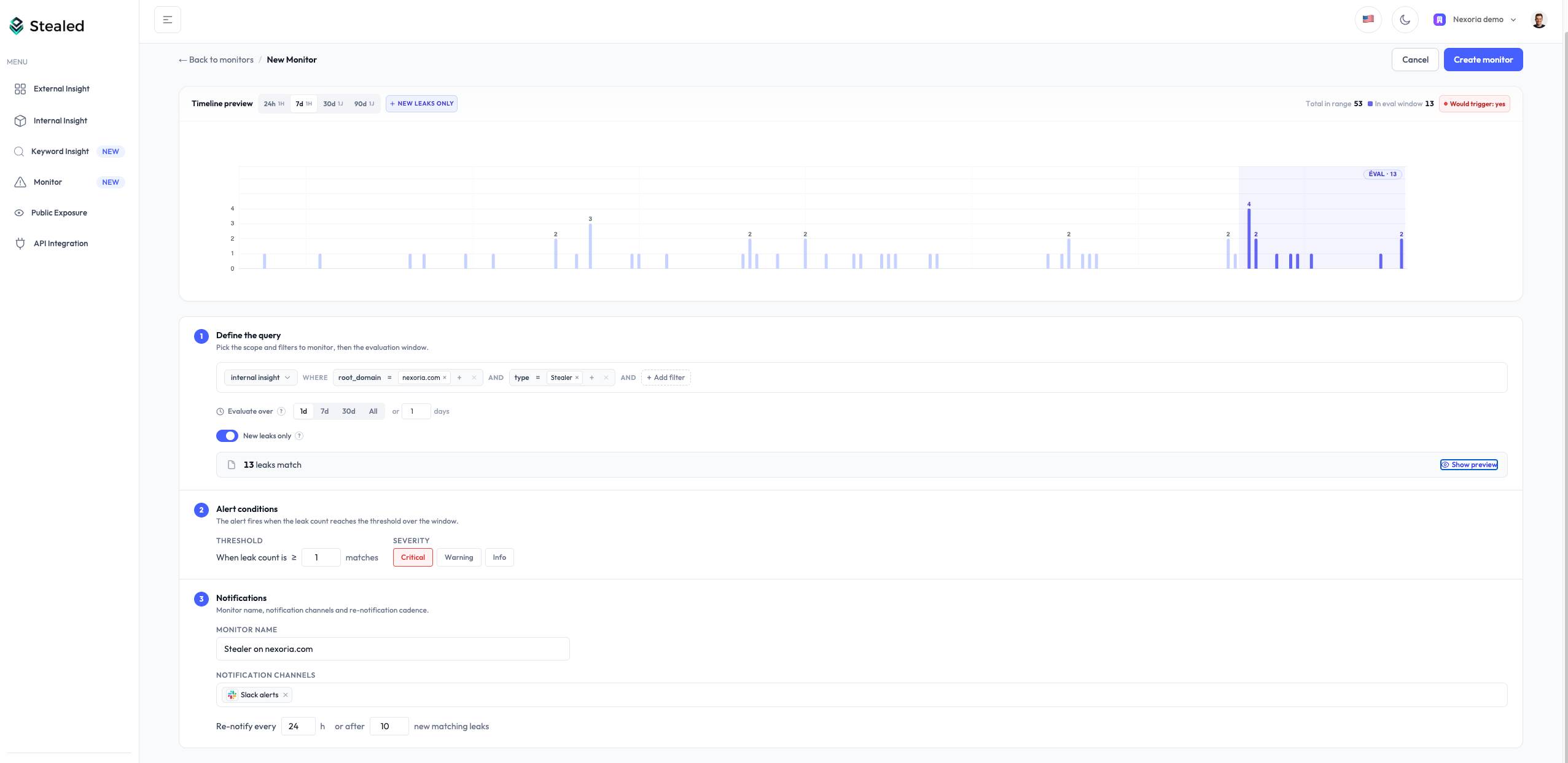
A monitor is a rule applied to your live leak feed. The scheduler evaluates every monitor every 10 minutes and fires on match.
Open the form
From the left sidebar, open Monitoring and click New monitor.
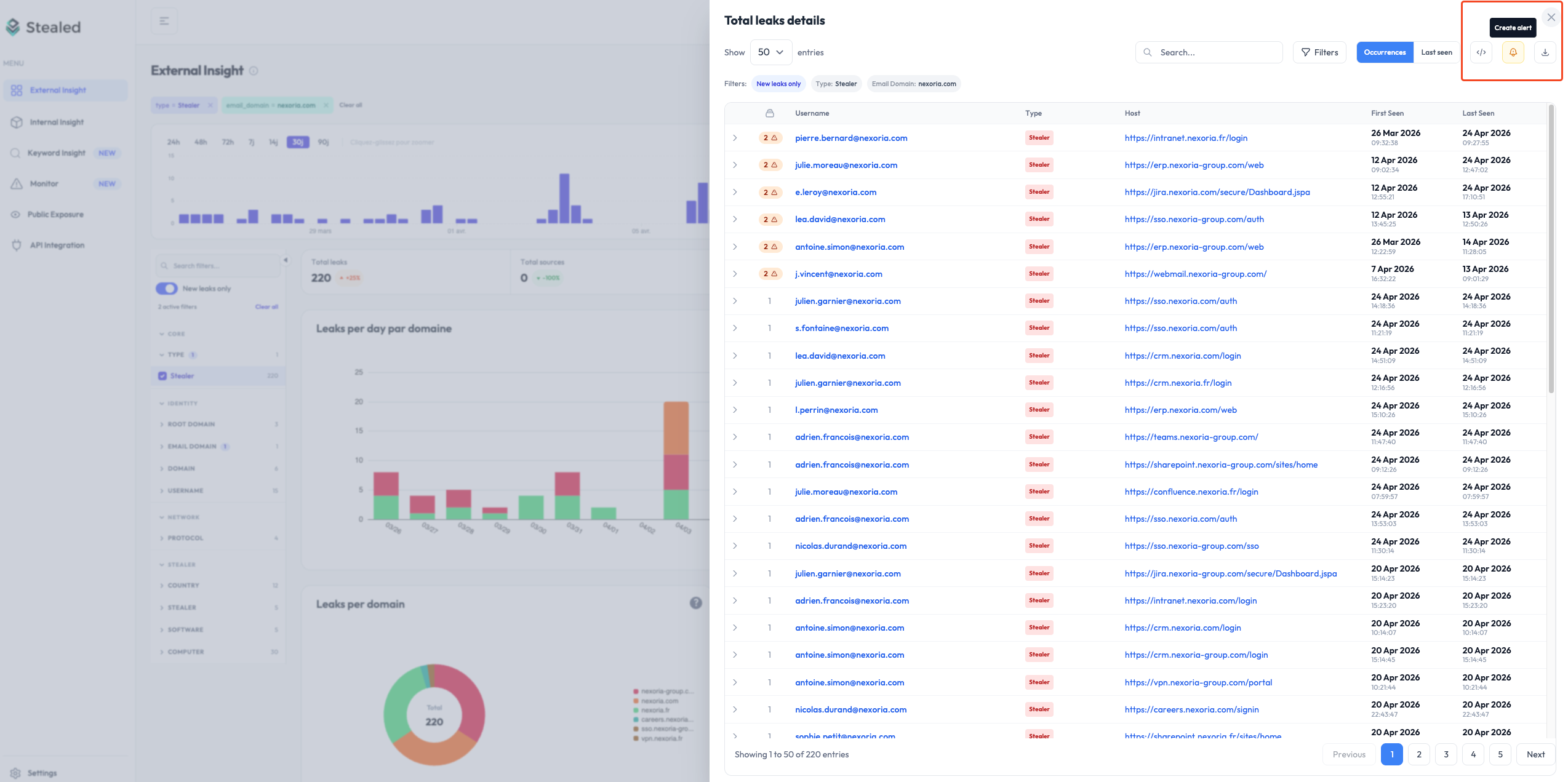
You can also create a monitor directly from any Insight page (Internal, External, Keyword) by clicking Create alert at the top right. The filters from the current Insight view are prefilled in the new monitor.
Filters
Filters define the scope of the monitor. Only credentials matching all filters count toward the threshold.
| Filter | Values |
|---|---|
| Root domain | A domain from your watchlist (e.g. acme.com) |
| Subdomain | A specific subdomain (e.g. portal.acme.com), optional |
| Keyword | A monitored keyword (e.g. acme), optional |
| Leak type | combo list, infostealer, or both |
| Source | A specific stealer family or source feed |
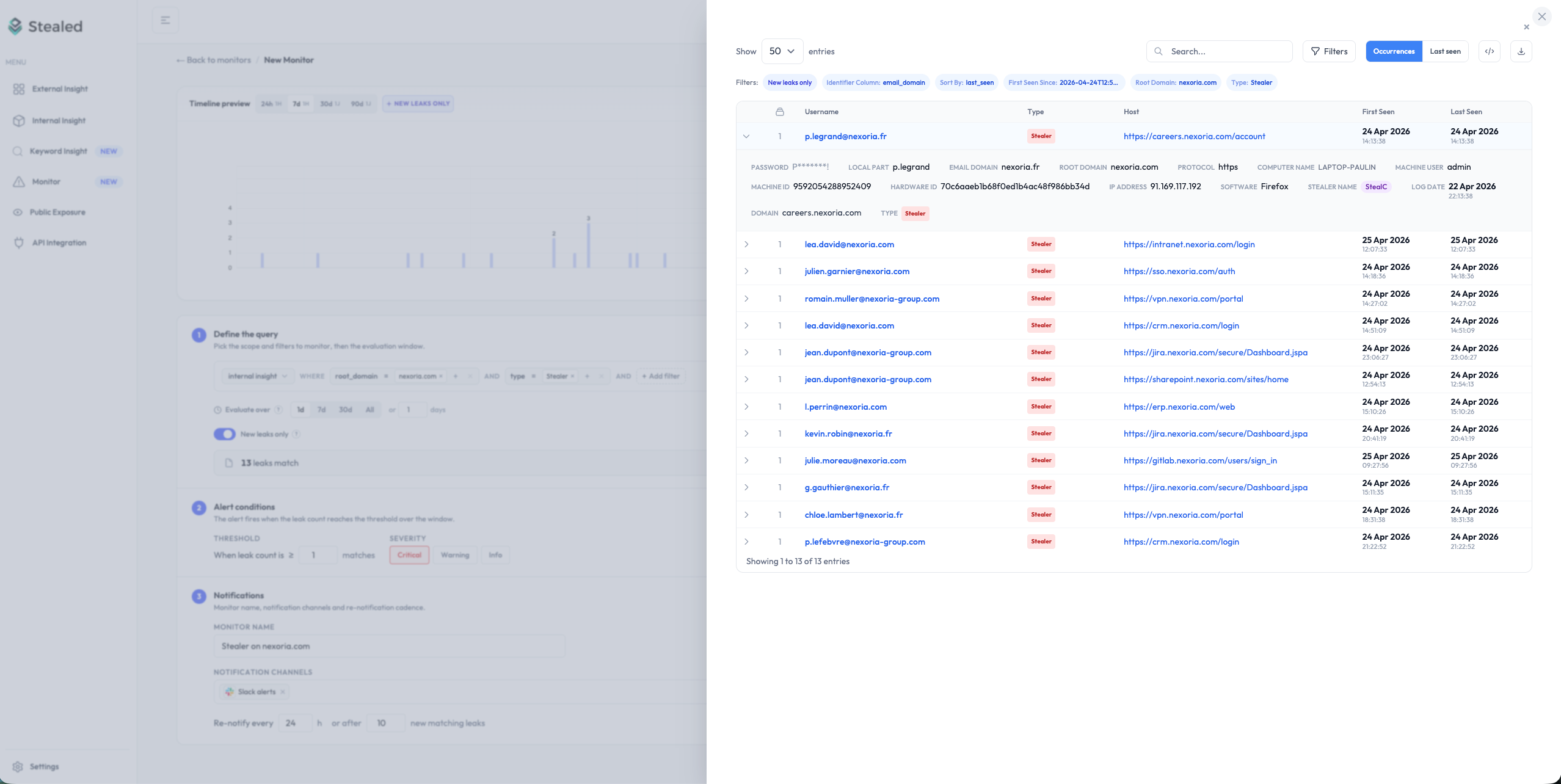
You can stack multiple filters. The matched_count counter on the form updates live so you can see how many credentials currently match before saving.
Trigger threshold
The threshold is the number of matching leaks required to fire the
event. Defaults to 1, meaning every new matching leak triggers.
For high-volume domains where you only care about spikes, raise the
threshold (e.g. 10) to avoid notification fatigue. The monitor will
stay silent until 10 net-new leaks have arrived since its last
evaluation.
Renotification
Once an event is open, Stealed needs to decide when to re-notify you about ongoing activity on it. Two mechanisms:
- Time-based renotification: reminder every N hours (default: 24 h).
- Volume-based renotification: reminder when N new matching leaks have arrived since the last notification (default: 10), with a 15-minute floor.
Both can coexist. Whichever threshold is reached first fires the reminder. See Renotification for details.
Delivery channels
Select one or more channels attached to your organization. The same alert is dispatched to every selected channel simultaneously. You can mix channels (e.g. Slack for the on-call team + email for the security manager).
If you don't have any channels configured yet, the channel selector links to the channel creation page. See Receive notifications.
Save and validate
After saving, the monitor evaluates immediately. The matched_count
counter on the monitor page shows the result of the first evaluation
within seconds. If the threshold is already met, an event fires
immediately.
Editing a monitor with an open event
If you change the filters of a monitor that has an open event, Stealed correctly bumps the anti-replay baseline so the open event keeps tracking the new scope from that point forward. You don't need to close and recreate the event manually.
What's next
- Receive notifications: configure where alerts land.
- Deduplication: understand why one monitor produces only one open event at a time.
Monitoring overview
How Stealed's alerting system works: from pattern matching to incident closure, with multi-channel notifications, deduplication and an audit-ready timeline.
Receive notifications
Configure Slack, Microsoft Teams, Discord, custom webhooks and email so Stealed alerts land where your team operates.