
Monitoring
Monitoring overview
How Stealed's alerting system works: from pattern matching to incident closure, with multi-channel notifications, deduplication and an audit-ready timeline.
The Monitoring module is Stealed's alerting system. It evaluates your live leak feed against the rules you configure, fires events when matches occur, delivers notifications on the channels you chose, and gives your team the tools to handle each incident collaboratively.
The pipeline
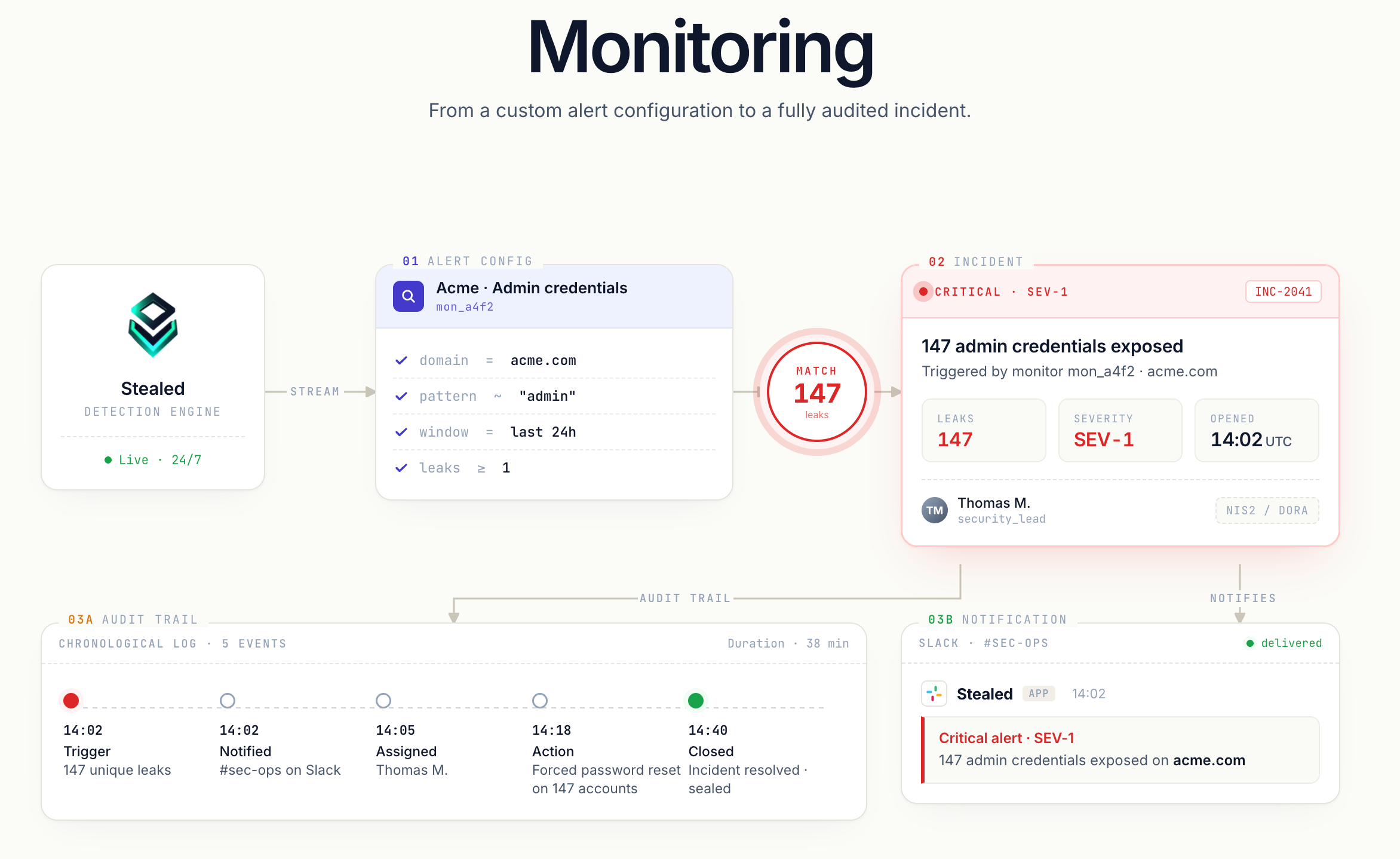
Every alert flows through the same four stages:
- Pattern matching. A monitor (a rule with filters and a threshold) evaluates incoming credential leaks every 10 minutes. When new leaks match the rule, the monitor triggers.
- Trigger. An event is created. The event carries the originating monitor, the matching credentials, the trigger date and the severity.
- Multi-channel notification. The event is broadcast simultaneously to the channels attached to the monitor: Slack, Microsoft Teams, Discord, webhook, email.
- Incident handling. Your team assigns the event, comments, marks it acknowledged, and eventually closes it. Every action is recorded in the activity timeline, usable as an audit trail.
Key concepts
- Monitor: a rule configured per organization. Watches a specific scope (domain, subdomain, keyword) and fires when the threshold is met.
- Channel: a destination for notifications (Slack workspace, Teams or Discord channel, webhook URL, email recipients).
- Event: an alert instance. One event per monitor at a time (deduplication, see below).
- Activity timeline: the chronological log of everything that happened on an event: trigger, notifications, comments, state changes, assignment changes, mute.
What you'll find in this section
- Create a monitor: how to configure pattern matching and the trigger threshold.
- Receive notifications: configure Slack, Teams, Discord, webhook and email channels.
- Incident handling: assign, comment, close events, and use the timeline as an audit trail.
- Deduplication: why one monitor produces only one open event at a time, and what happens when an event closes.
- Renotification: the time-based and volume-based reminder mechanisms.
- Mute a monitor: silence a monitor for a defined window without losing its state.
All monitors at a glance
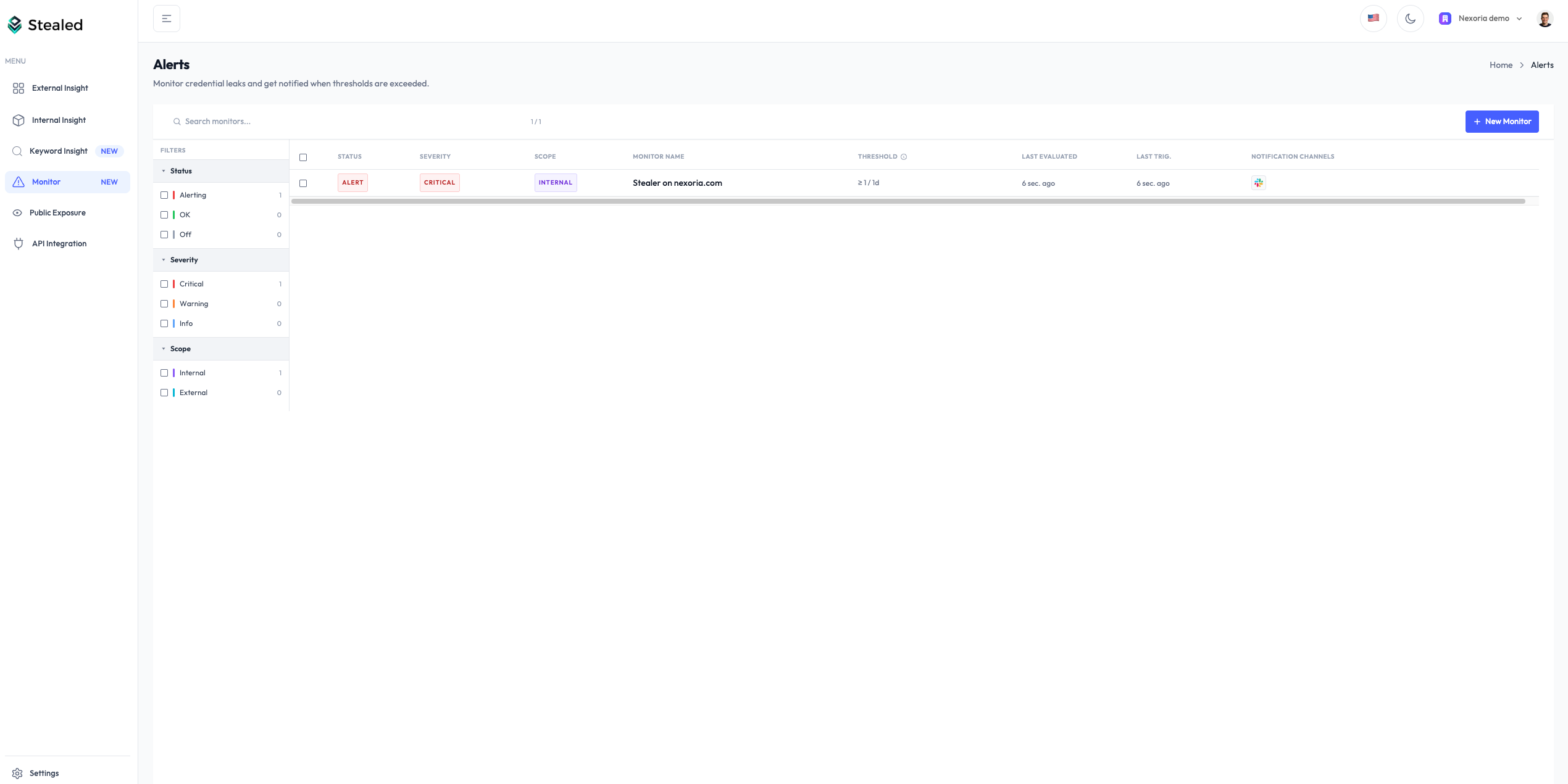
Every monitor your organization has configured is listed on the Monitoring page. The list shows status (active, muted, triggered), the open events counter, the last notification date, and quick actions (edit, mute, delete).
Plan availability
| Capability | Free | Pro | Enterprise |
|---|---|---|---|
| Pattern matching | – | ✓ | ✓ |
| Email notifications | ✓ (limited) | ✓ | ✓ |
| Slack / Teams / Discord / Webhook | – | – | ✓ |
| Incident handling (assign, comment, timeline) | – | – | ✓ |
See stealed.io/pricing for plan details.