
Incident handling
Assign, comment, close events and use the activity timeline as an audit trail for NIS2 / DORA compliance.
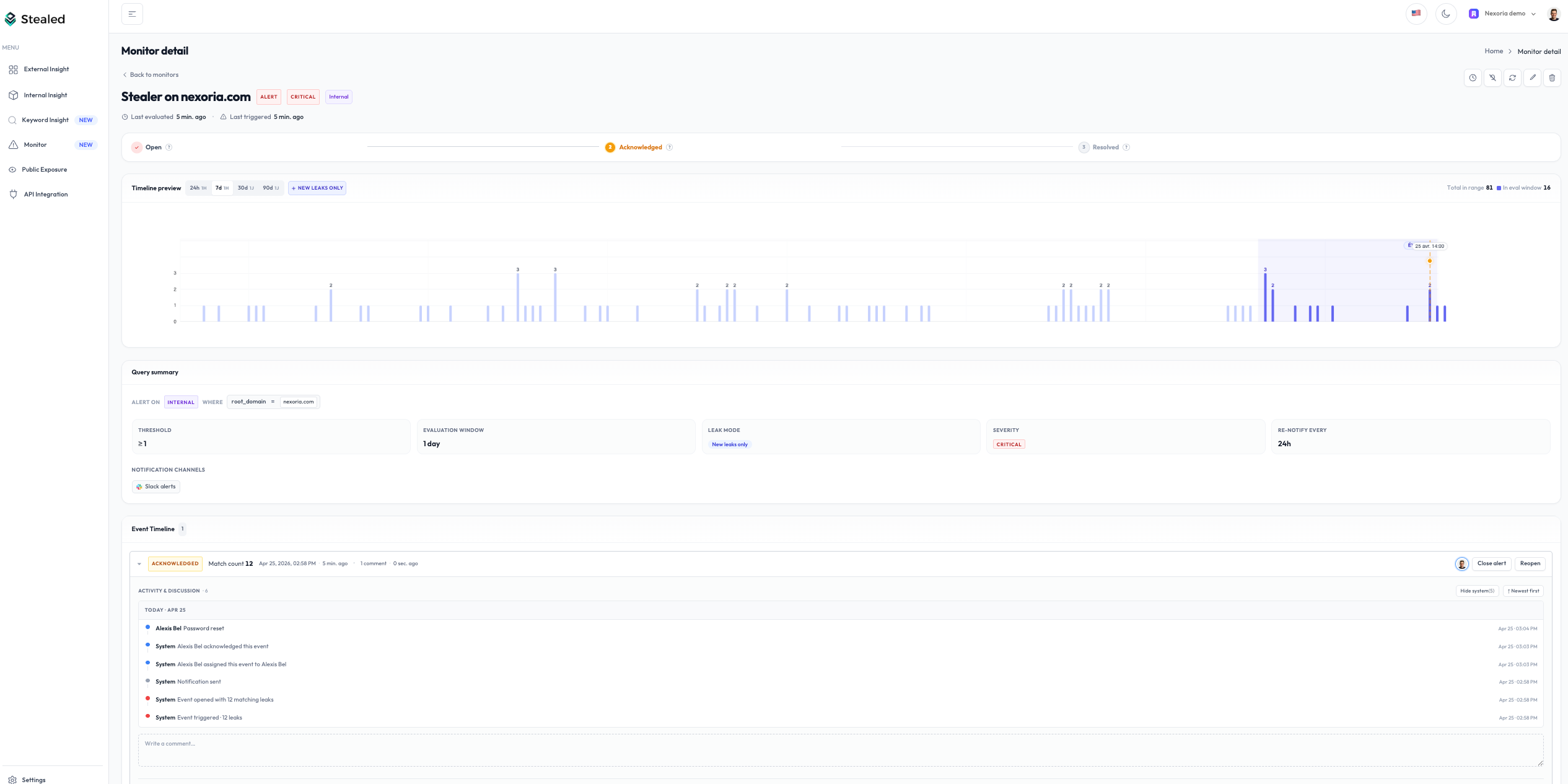
When an alert fires, Stealed creates an event. Your team handles it inside Stealed: assign an owner, leave comments, mark it acknowledged, close it once resolved. Every action is captured in the activity timeline.
Available actions
Every event supports the same set of actions, regardless of the underlying monitor:
| Action | What it does |
|---|---|
| Display | Open the event detail page with full context (matching leaks, monitor, trigger date) |
| Assign | Pick a team member as the owner. Auto-assigns the first person to click "Mark as seen" |
| Acknowledge | Mark the event as seen / handled. Doesn't close the event, just signals it's being worked on. Stops the daily time-based reminders; volume-based reminders still fire if new leaks pile up. See Renotification. |
| Comment | Leave a free-text note (up to 4,000 characters). Useful for handoffs and context |
| Mute the underlying monitor | Silence the monitor for 15 min, 1 h, 4 h, 24 h or a custom date |
| Close | Resolve the event. Closing is the terminal state. Subsequent matching leaks open a NEW event (see Deduplication) |
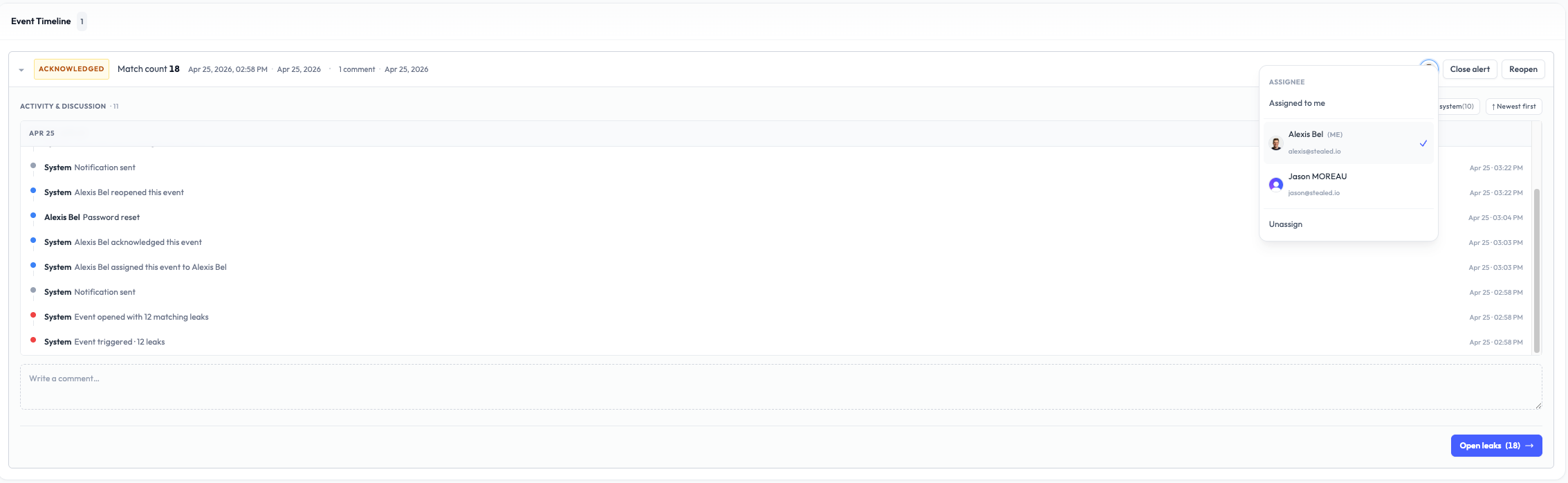
Assignment
Each event has zero or one assignee. The first person who clicks Mark as seen becomes the owner by default (auto-assign).
You can reassign in one click via the dropdown. The dropdown lists every member of your organization with live search beyond five members.
Two filters are available on the event list:
- My events: your personal queue
- Unassigned: the backlog to redistribute in stand-up
Comments
Comments are free-text notes attached to an event. Use them to:
- Document the context (
credentials from the @acme-dumps leak) - Signal a handoff (
@Thomas, your turn) - Trace actions (
passwords invalidated in Okta at 11:23) - Close out with a summary
Comments are plain text, up to 4,000 characters. The author's display name is captured at submission and persists even if the user is later renamed or removed from the org.
Comments cannot be edited or deleted once submitted. This is intentional: the activity timeline is meant as an audit trail, not a chat history.
Activity timeline
The activity timeline is a unified chronological feed of everything that happened on an event:
- Initial trigger
- Notifications sent on each channel
- User comments
- State transitions (acknowledged, resolved, reopened)
- Assignment changes
- Mute / unmute actions
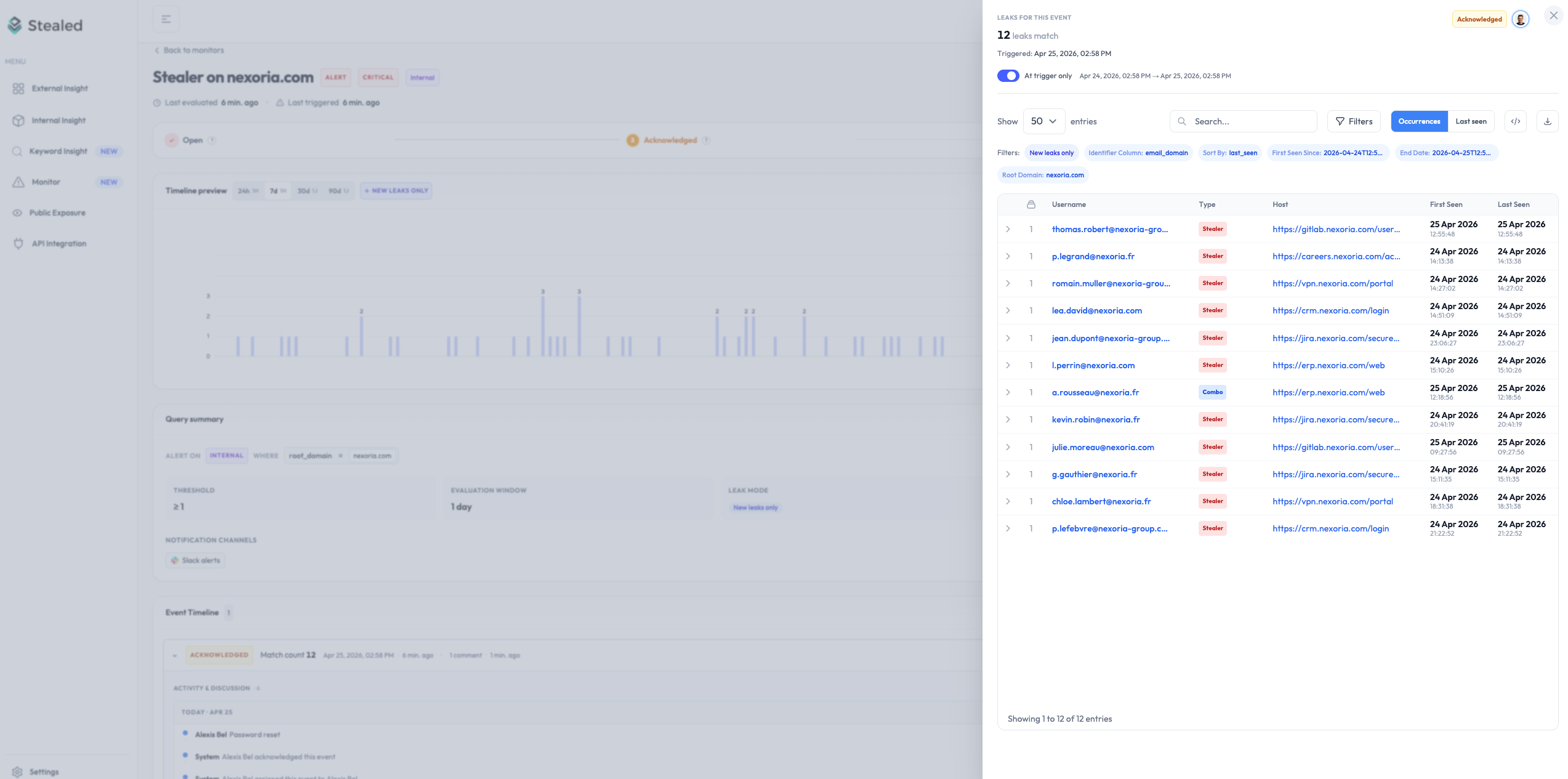
The timeline is sorted newest first by default. A toggle switches it to oldest first. A Hide system events filter keeps only human comments, useful when reviewing a long incident.
Audit trail
Every entry in the timeline carries an immutable timestamp in UTC and the identity of the actor (user or system). The complete log of an event is exportable as JSON via the API and is suitable as an audit trail for NIS2 Article 23 reporting (24-hour early warning + 72-hour incident notification).
For DORA-regulated entities, the same timeline + the dedup logic provides the chain of evidence required for ICT-related incident reporting.
Closing an event
Click Close to mark an event as resolved. A closed event:
- Stops triggering reminder notifications
- Is excluded from the Open events filter
- Remains accessible in the event history forever
- Has its activity timeline frozen
If new credentials matching the same monitor arrive after closure, a new event is opened. Crucially, the new event only counts the new hashes: credentials already tracked in the closed event are not recounted. This is how Stealed avoids historical noise when reopening attention to a topic. See Deduplication.
Reopening
You can reopen a closed event if you discover it was closed prematurely. Reopening:
- Adds a "reopened by X at Y" entry to the timeline
- Re-arms the renotification logic so reminders can fire again on the attached channels
What's next
- Deduplication: the rule that decides when matching leaks enrich an existing event vs. open a new one.
- Mute a monitor: temporarily silence the monitor without losing the event's state.